
Logs & Log Search
GridNMS can collect the log messages your devices and systems produce, keep them searchable in one place, and watch them for patterns worth alerting on — like repeated login failures or a service crash. This page explains how to send logs in, how to search them, and how to turn log patterns into events.
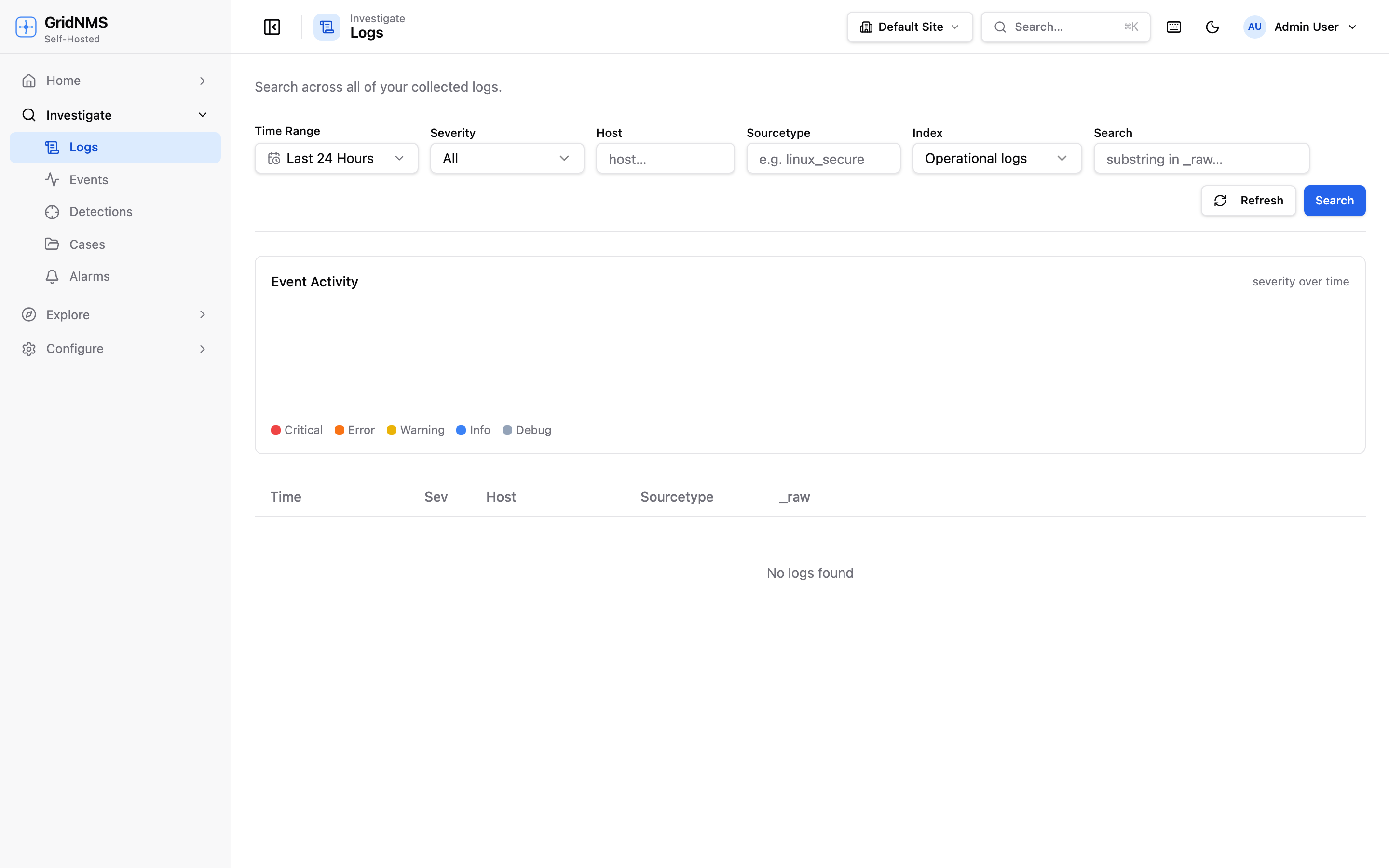 The Logs page lets you search across collected logs and filter by device, time, and text.
Sending logs to GridNMS
Section titled “Sending logs to GridNMS”Devices send their logs to GridNMS using syslog, the standard logging protocol that almost every network device, firewall, and server already supports.
To start collecting logs from a device:
- On the device, point its syslog output at the IP address of the collector that serves its network, using the standard syslog port.
- Send a test message (or just wait for normal activity).
- The messages begin appearing on the Logs page in GridNMS.
For the full setup — ports, what a collector accepts, and verifying messages are arriving — see Receiving Syslog & Traps.
Log Search
Section titled “Log Search”Open Logs to search everything that’s been collected. The search is built for the two things you do most: find a specific message, and narrow to one device or time.
You can filter by:
- Device — show only logs from one device.
- Time — pick a window with the time-range picker (last hour, last day, custom).
- Text — type words or phrases to match within the messages.
Results stream in newest-first. Combine the filters to answer questions like “show
me everything from edge-fw-2 containing denied in the last six hours.” A
device’s own Logs tab on its detail page shows the same
search pre-filtered to that device.
Alerting on log patterns
Section titled “Alerting on log patterns”Searching is reactive — you only find a problem when you go looking. To get told automatically, set up a detection: a rule that watches incoming logs and raises an event the moment a message matches. GridNMS ships with built-in detections and you can add your own — see Detections.
Getting more out of your logs
Section titled “Getting more out of your logs”Logs are easier to search and alert on when their values are named fields — like a source IP or username — instead of raw text. GridNMS extracts common fields automatically, and you can add your own; see Field Extraction.
How long logs are kept
Section titled “How long logs are kept”Collected logs are stored for a retention period and then aged out automatically. Your retention is part of your plan, and you can see your current storage usage against your quota. If you’re collecting a lot of log volume, keep an eye on storage so you understand what you’re using.
How logs fit the bigger picture
Section titled “How logs fit the bigger picture”| Step | What happens |
|---|---|
| Collect | Devices send syslog to a collector; messages land in GridNMS. |
| Search | You find messages on the Logs page or a device’s Logs tab. |
| Detect | Detections watch incoming logs and raise events on a match. |
| Notify | Those events flow to people via Notifications. |
Where to go next
Section titled “Where to go next”- Get logs flowing in with Receiving Syslog & Traps.
- Make sure logs land on the right device by reading source IPs.
- Turn log patterns into alerts with Detections.
- Pull named fields out of messages with Field Extraction.
- Manage the events your detections raise in Events & Alerts.
docs built 2026-07-27 · 837a1c1d